Opsera Expands AI Impact: Introducing Support for Amazon Q alongside GitHub Copilot, Windsurf, and More
Most teams have already rolled out AI coding tools. Amazon Q in the IDE, Copilot in VS Code, maybe Windsurf or Cursor on the side, it’s not about if you’re using AI anymore. It’s whether it’s actually helping you ship better software.
That’s the real gap: you see suggestions, chats, and auto-generated tests… but you can’t clearly say, “This is how Amazon Q changed our delivery speed, quality, or engineering cost.”
Opsera’s Unified Insights and specifically the Amazon Q Dashboard are built for that job. They connect Amazon Q activity to real SDLC outcomes: what got accepted, what shipped, how it behaved in pipelines and production, and what it’s worth in productivity and dollar impact.
Why Amazon Q matters in the inner loop
Every developer knows the “inner-loop”: writing a bit of code, testing it locally, refactoring, and fast feedback cycles that drive real progress.
Amazon Q Developer fits right into that loop. It lives in your IDE (or terminal), and helps you: write new code or patches, get inline suggestions, auto-generate tests, update docs, refactor legacy code, and even run automated code reviews before you hit a commit.
That gap between “AI generated suggestions” and “real code shipped and working”, is why measuring impact matters. And that’s exactly where Opsera’s Amazon Q Dashboard enters: to tie inner-loop signals with outer-loop outcomes so you actually know if Amazon Q is helping you ship better and not just faster.
The measurement gap: what Amazon Q dashboards show vs what leaders need
Amazon Q’s own dashboards are good at the basics: how many suggestions happened, how many lines were accepted, who’s active, and which features get used most. That tells you usage, not impact.
What leaders actually care about is a different set of questions:
- Engineering leads: Is AI written code really shipping and how does it affect failures and incidents?
- Product managers: Did this help us hit roadmap dates faster?
- CTO and executives: What’s the actual ROI story I can take to the board?
You can’t answer those from IDE only metrics. Amazon Q shows what happened inside the editor. Opsera connects that activity to commits, reviews, tests, deployments, and production so you can see whether Amazon Q changed delivery speed, quality, and cost, not just how often it popped up a suggestion.
What Opsera’s Amazon Q Dashboard actually measures
Opsera’s Amazon Q Dashboard pulls in Amazon Q’s rich event stream and layers it into two views: Overall KPIs and Feature specific KPIs.
Overall KPIs
These charts are your “are we getting real value from Amazon Q at all?” helping leadership track the big picture and overall product health.
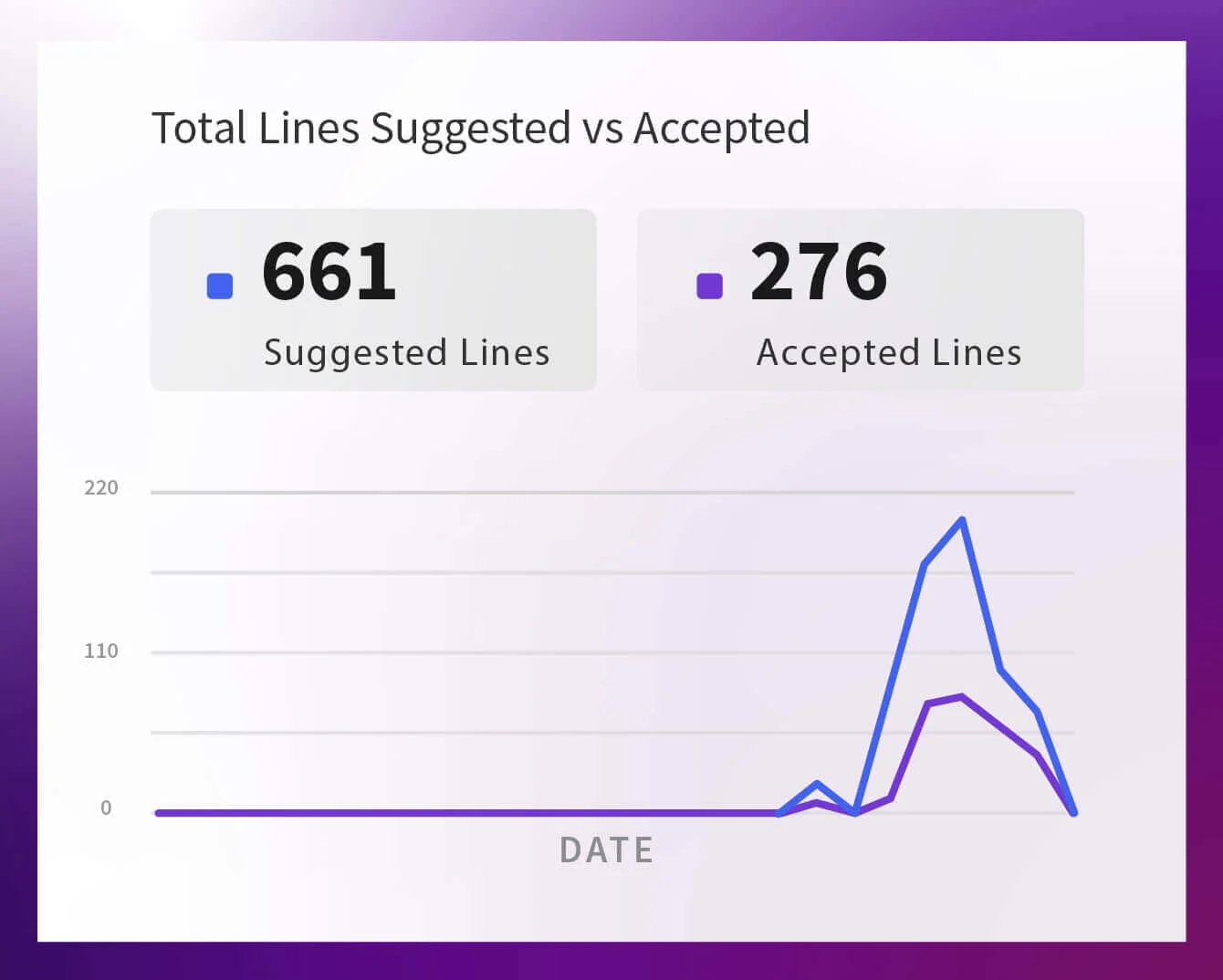
Suggested Lines vs Accepted Lines This shows how many lines Amazon Q suggested versus how many developers actually kept. A small gap means Amazon Q’s output is turning into real code in your repos.
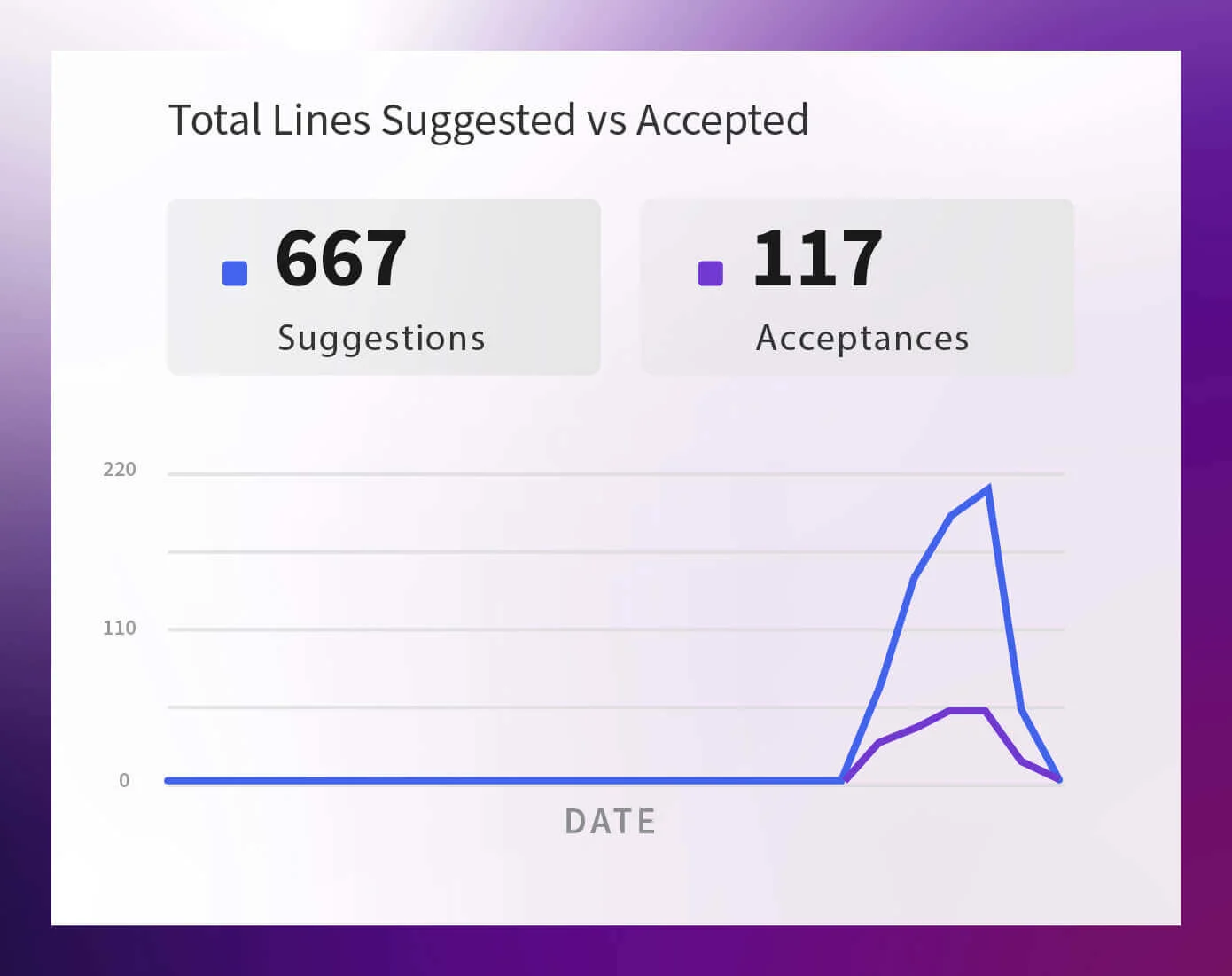
Suggestions vs Acceptance Instead of lines, this tracks suggestion events versus acceptances. It tells you how often developers interact with Amazon Q and how often those interactions turn into something they use.
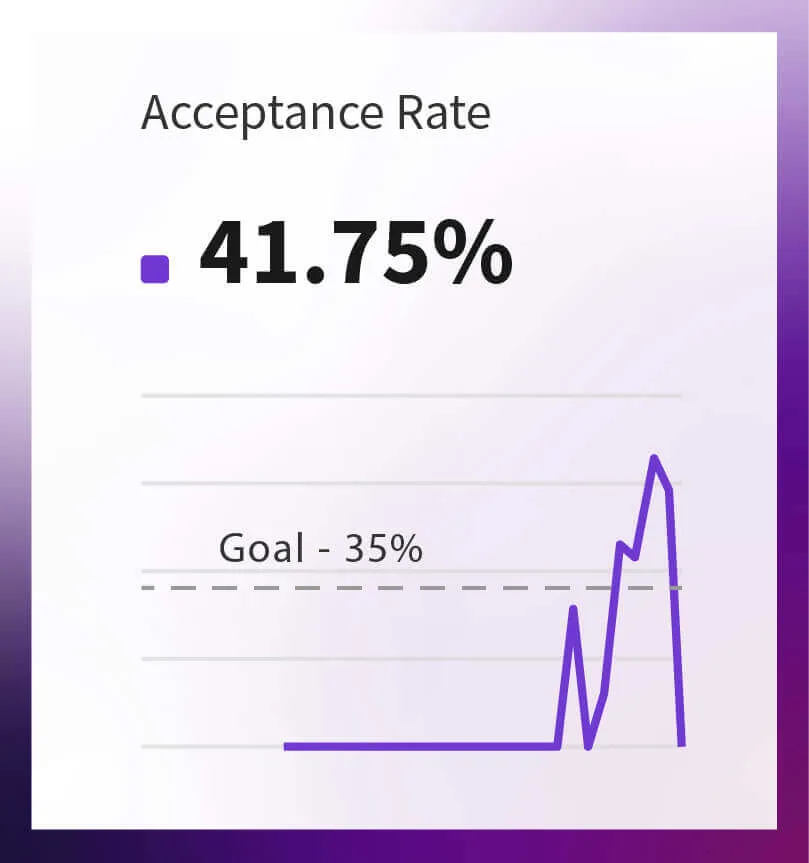
Acceptance Rate This is the percentage of suggested lines that were accepted. Upward trends mean growing trust and better fit; drops are an early signal that models, prompts, or training need attention.
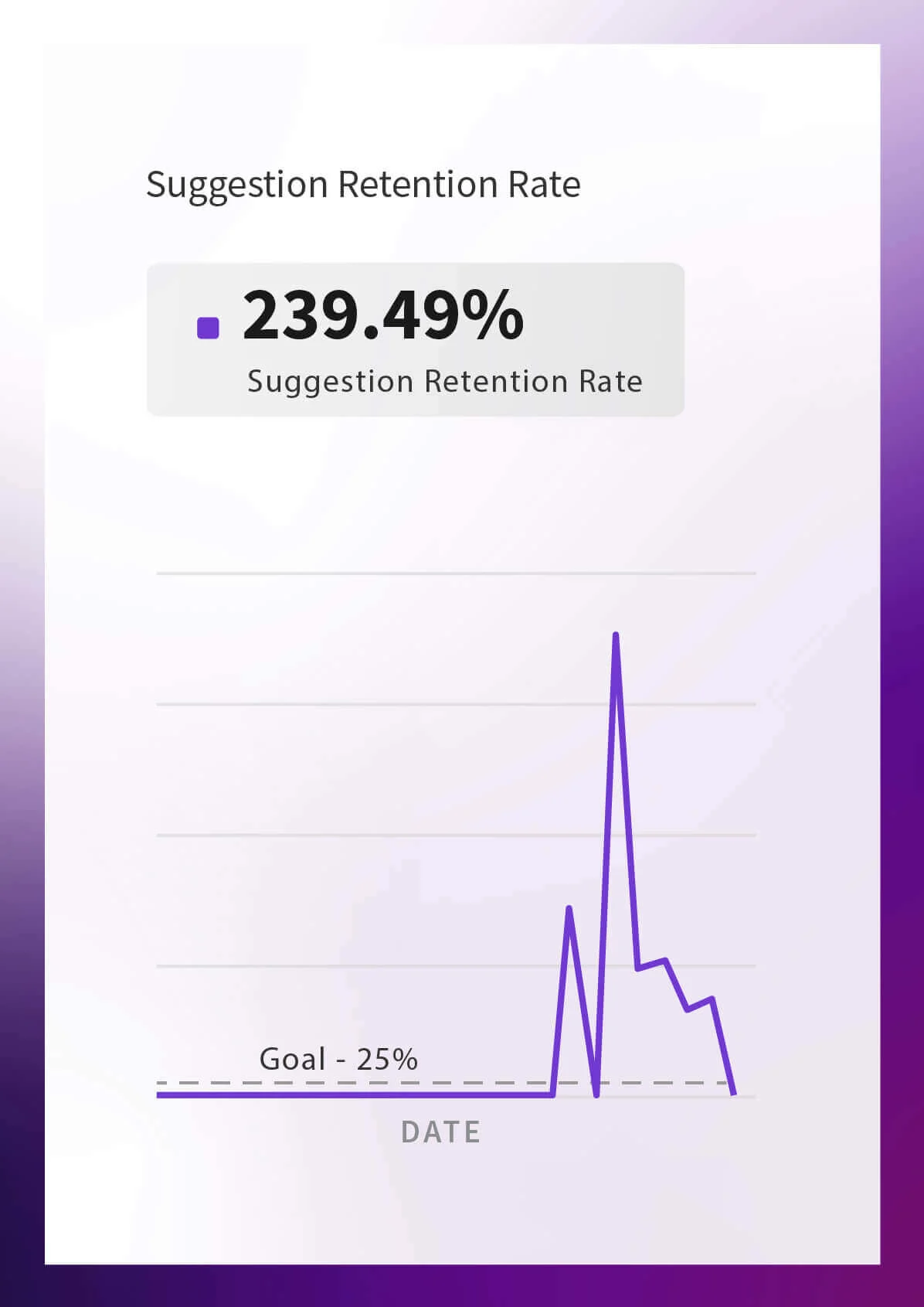
Suggestion Retention Rate Retention looks at how much AI-written code remains in the codebase over time. High or rising retention means Amazon Q changes survive refactors and releases, not just initial acceptance.
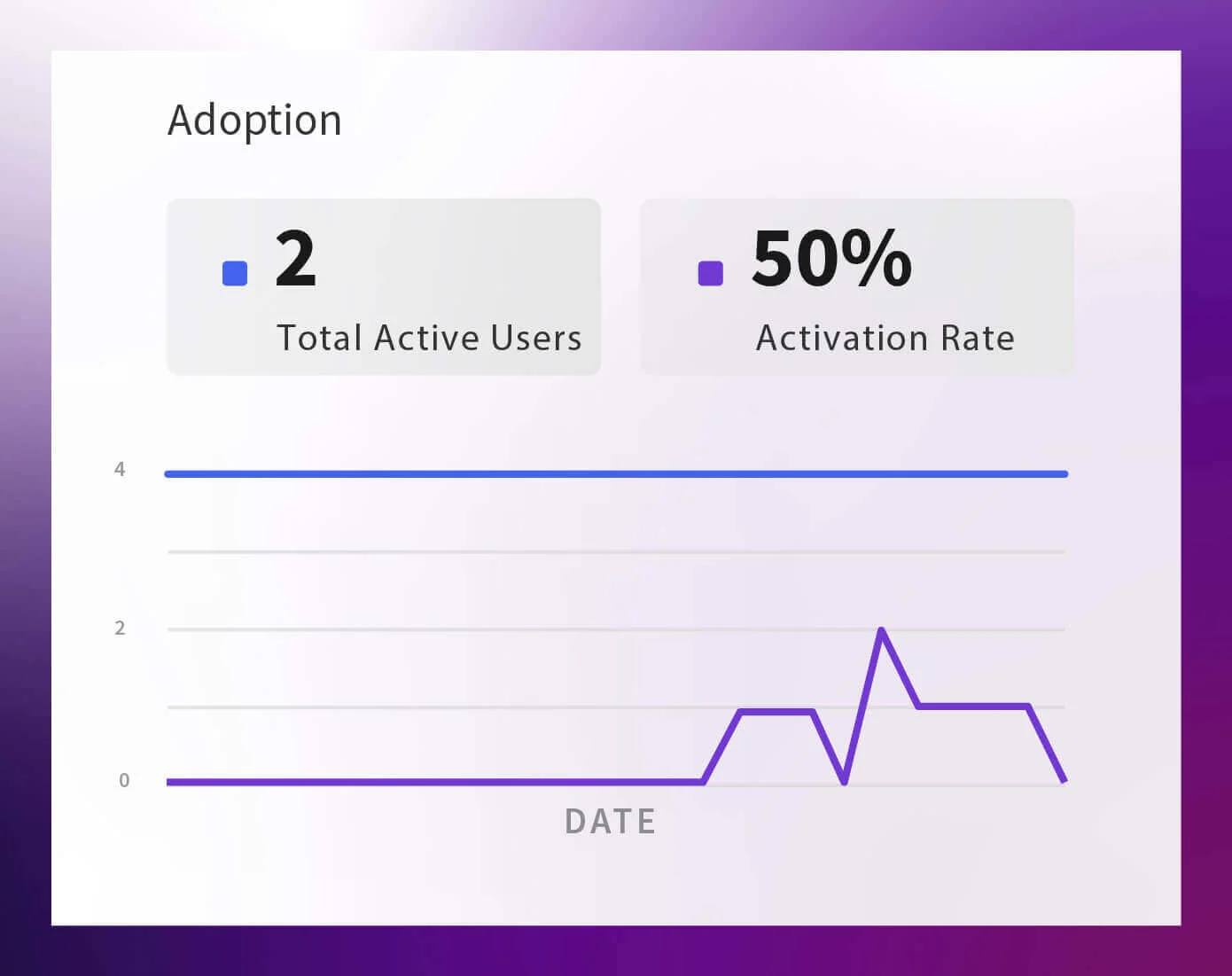
Adoption Active users and activation rate show how many people are actually using Amazon Q out of the licenses you’re paying for. Flat or falling lines are a sign to revisit rollout and enablement.
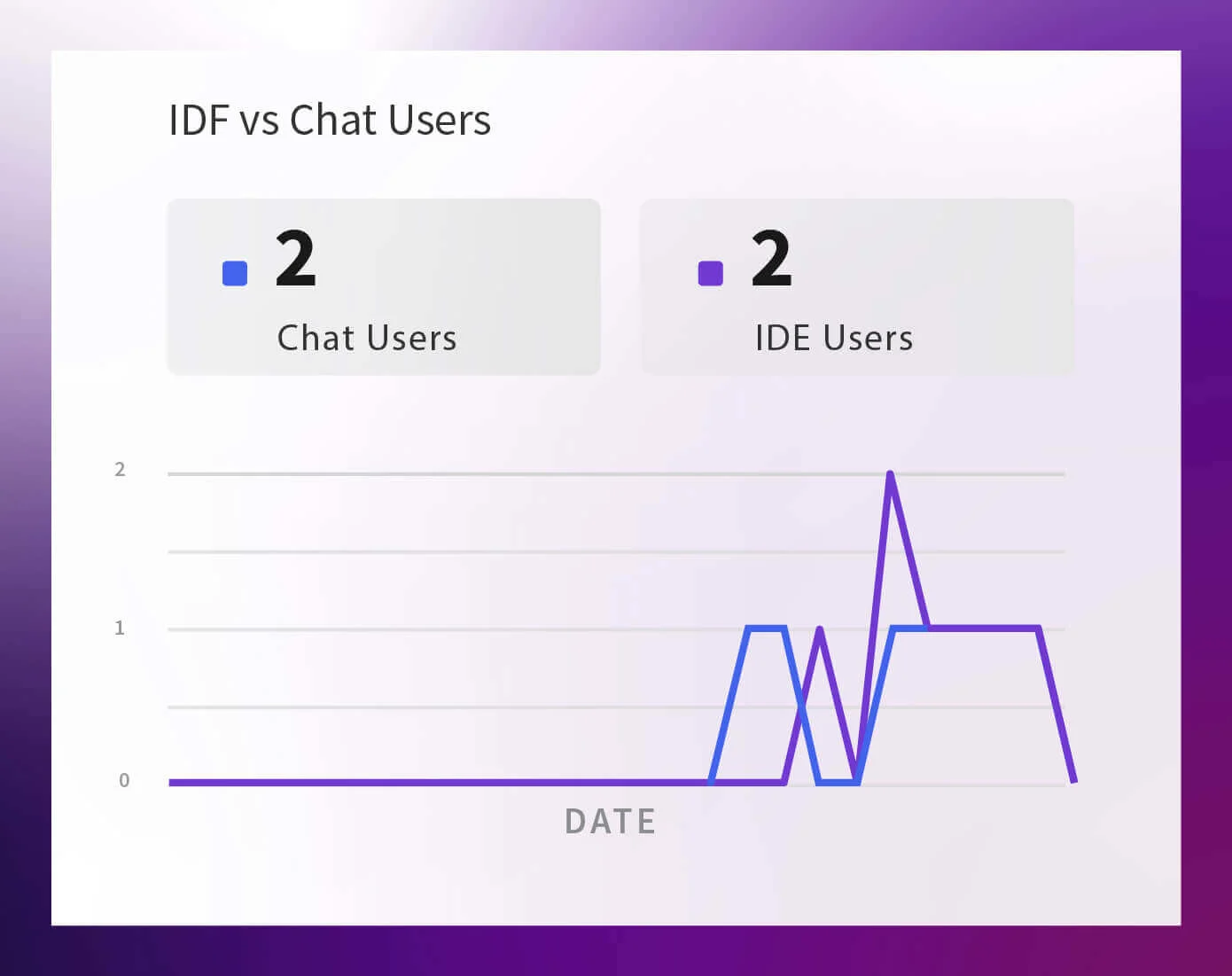
IDE vs Chat Users This splits usage between IDE plugins and chat. It tells you where developers naturally gravitate, code first or conversation first, so you can focus training and policies in the right channel.
Feature Specific KPIs
Once you know Amazon Q is being used, these charts explain how it’s being used by feature and which capabilities actually move the needle.
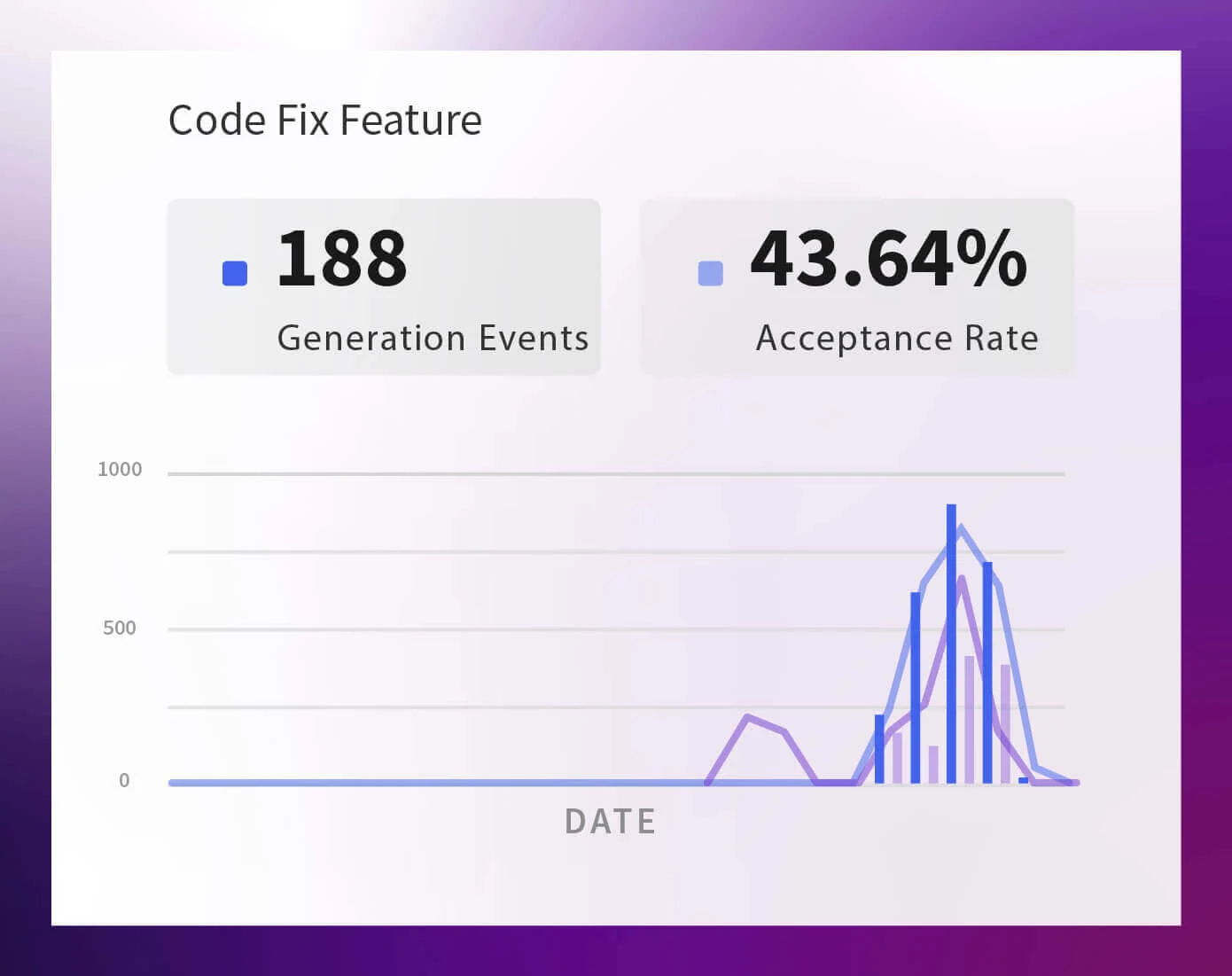
Code Fix Feature Code Fix shows how often Amazon Q suggests fixes and how many of those fixes developers accept. It’s a quick way to see if AI is genuinely helping clean up bugs and issues.
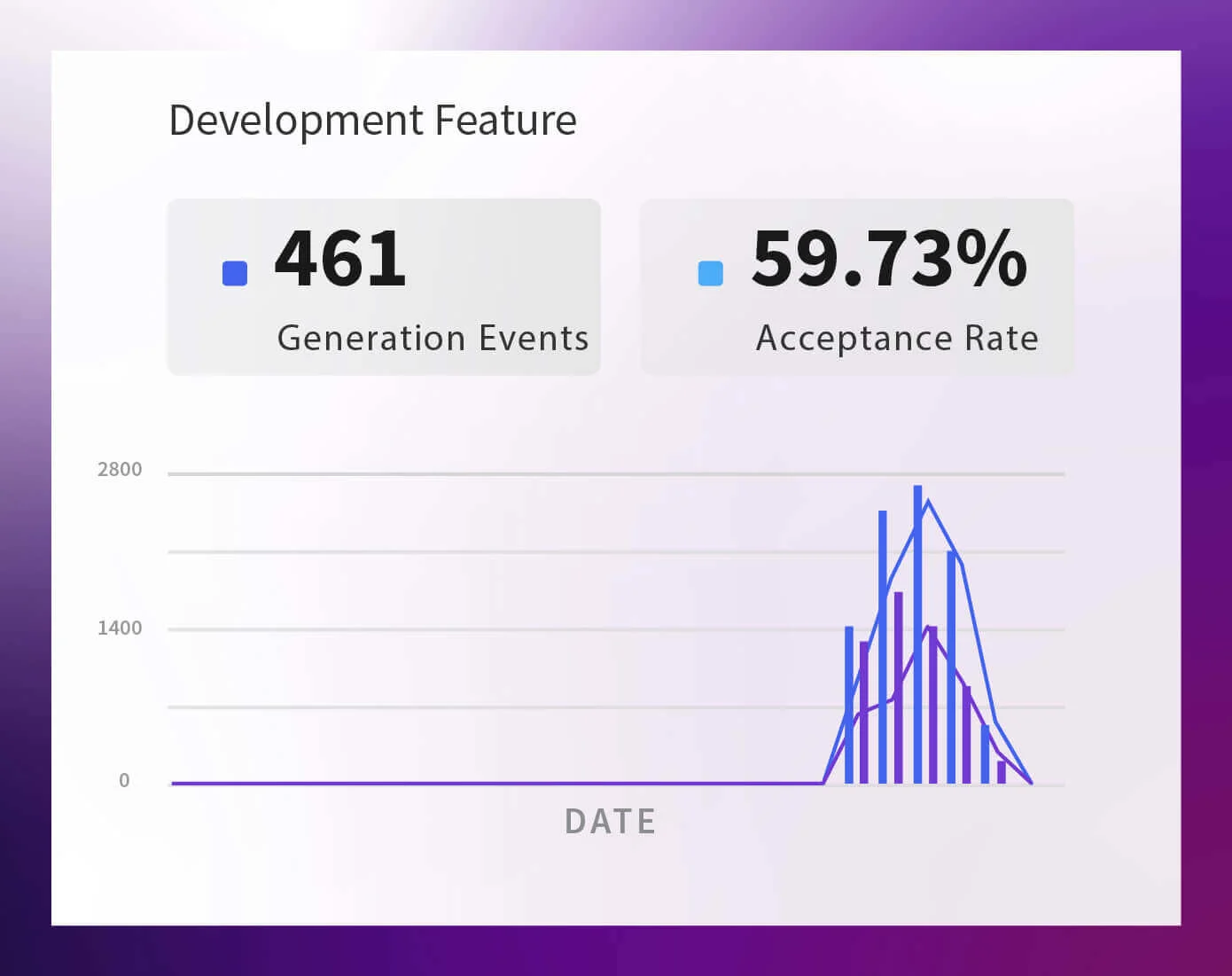
Development Feature This is your core code generation view: how many dev code snippets Amazon Q proposes, how many get accepted, and how many lines make it into the codebase. It’s the heart of “AI as a pair programmer.”
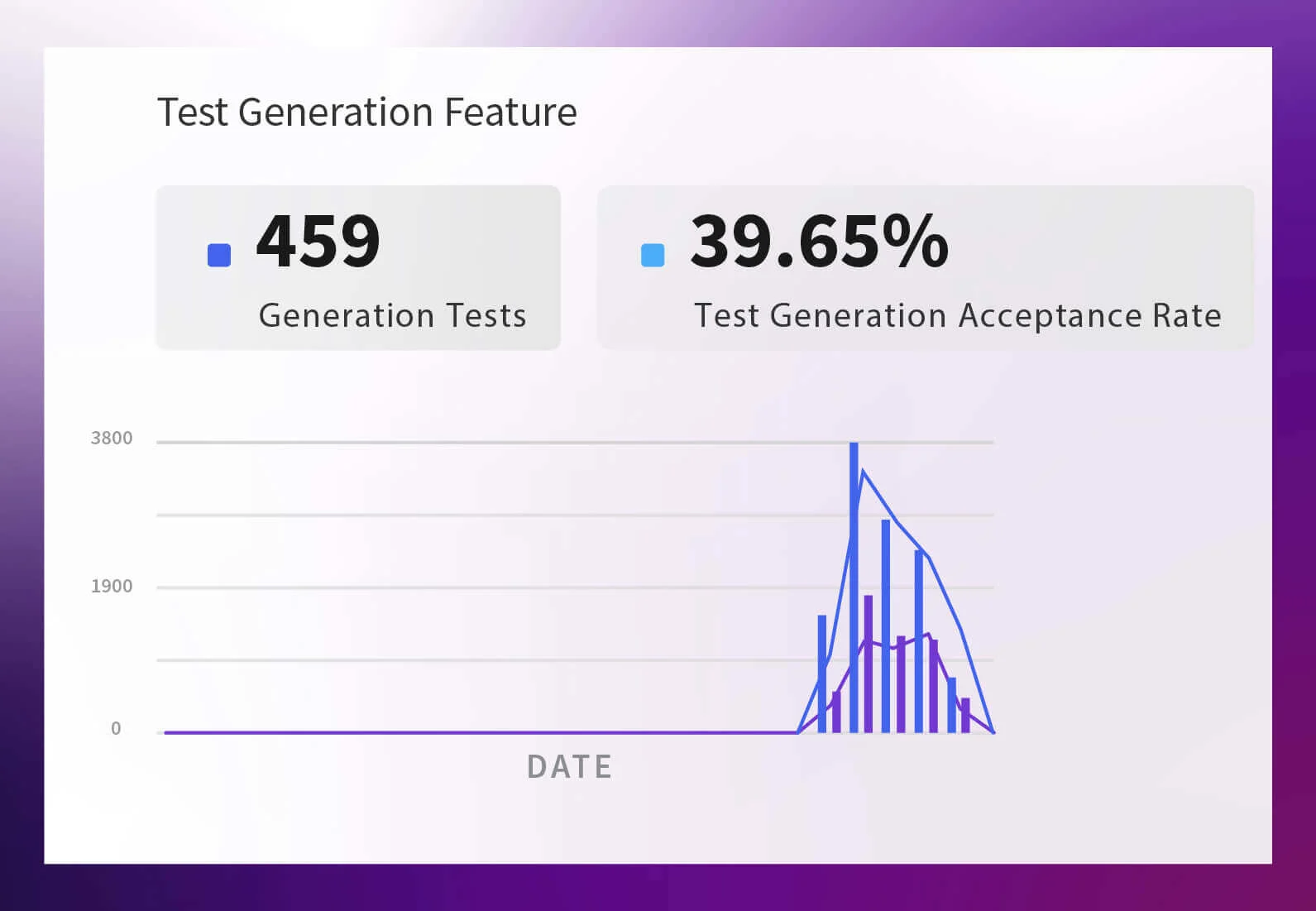
Test Generation Feature Here you see how many tests Amazon Q generated and how many were accepted into the suite. Strong alignment between generated and accepted tests means AI is meaningfully boosting coverage, not just dumping boilerplate.
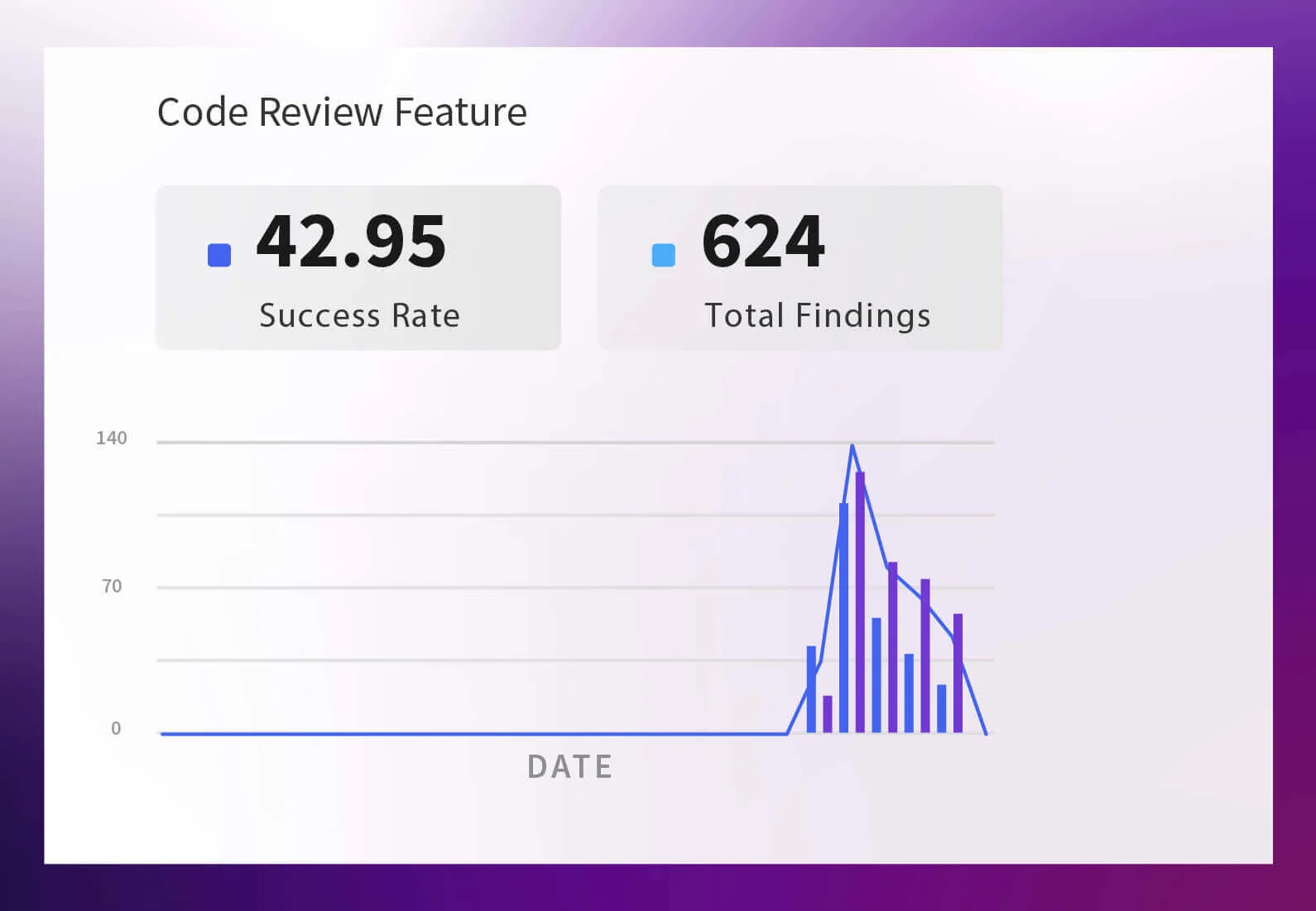
Code Review Feature This tracks Amazon Q’s review attempts, success rate, and total findings. It tells you whether AI reviews are actually catching issues early or just adding noise to the review process.
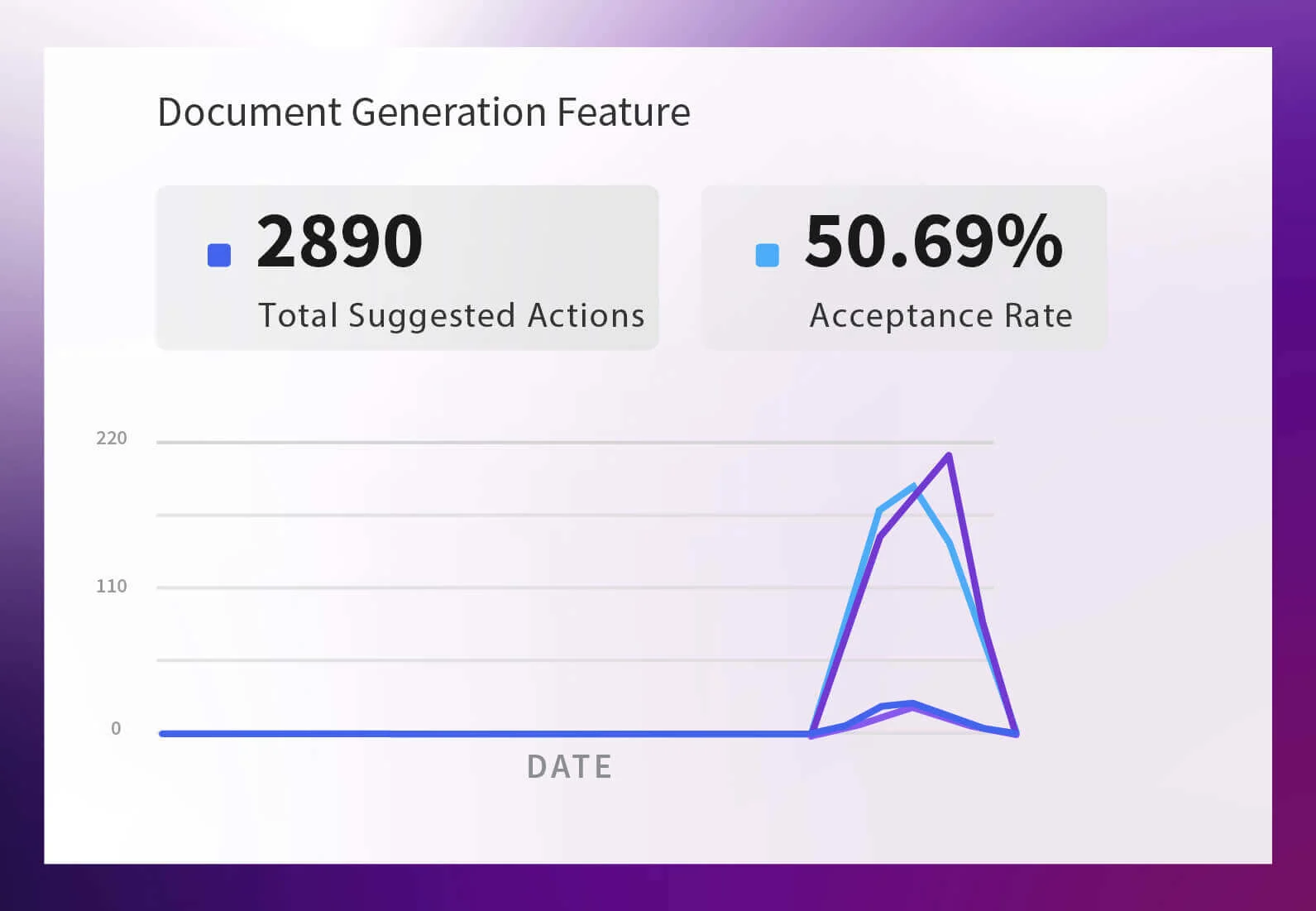
Document Generation Feature Doc Generation shows suggested vs accepted file and line changes in your docs. If acceptance is high, Amazon Q is effectively keeping documentation up to date alongside the code.
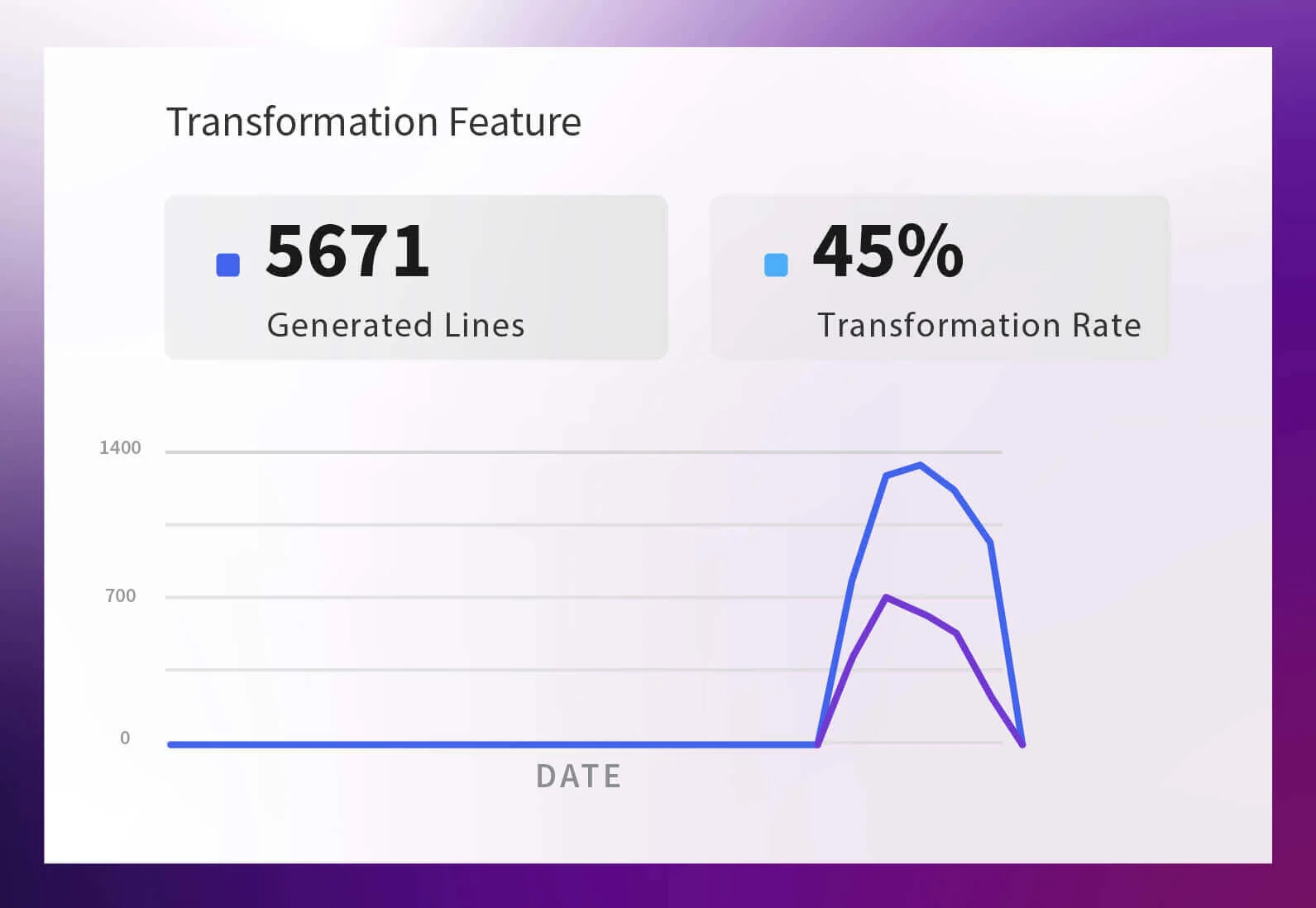
Transformation Feature This chart compares generated vs accepted transformation lines. When those lines track closely, it means teams trust Amazon Q to safely handle refactors and structural changes.
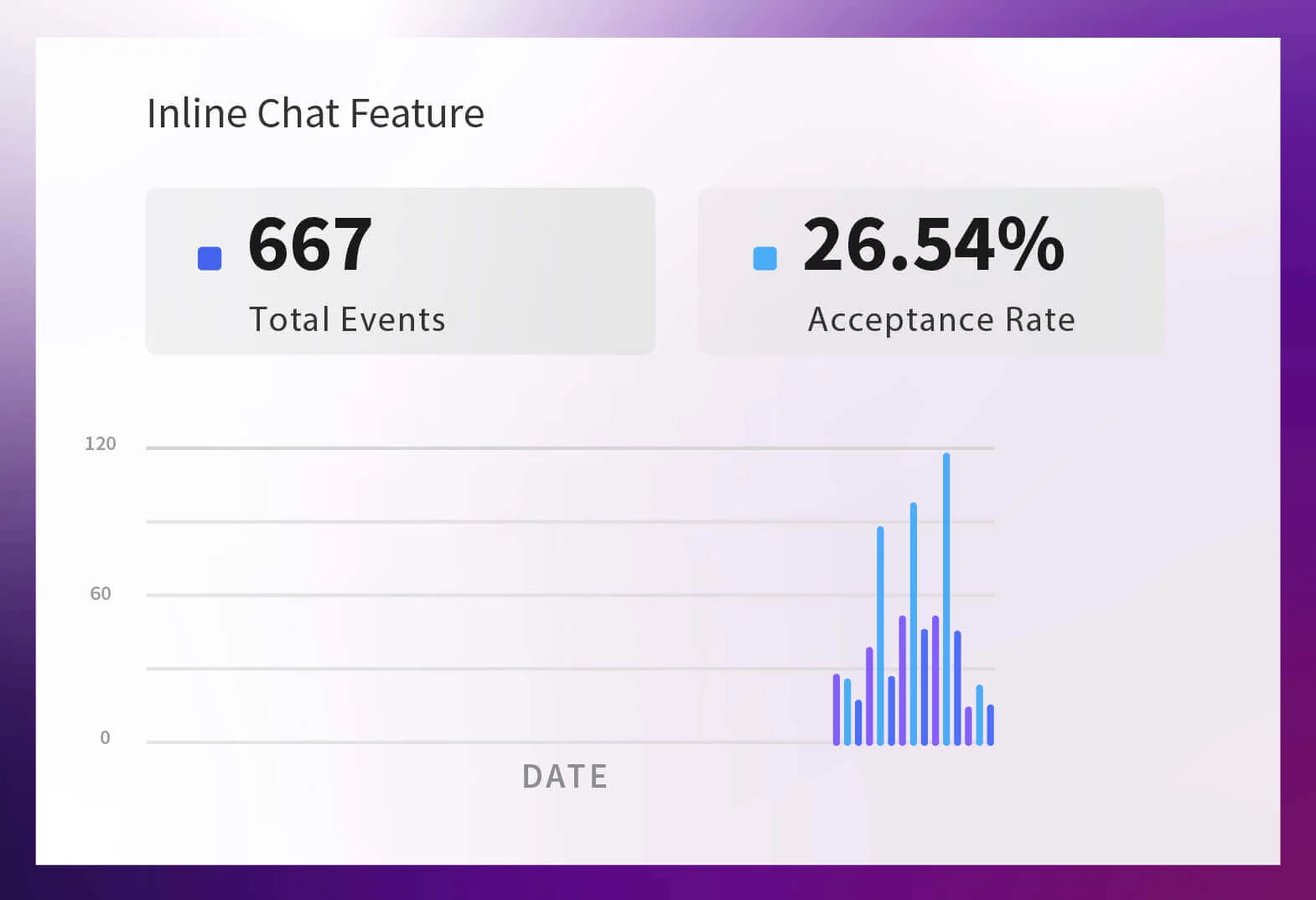
Inline Chat Feature Inline Chat focuses on chat interactions in the IDE: accepts, dismissals, rejections. It helps you see whether chat is genuinely useful or if developers are mostly closing its suggestions.
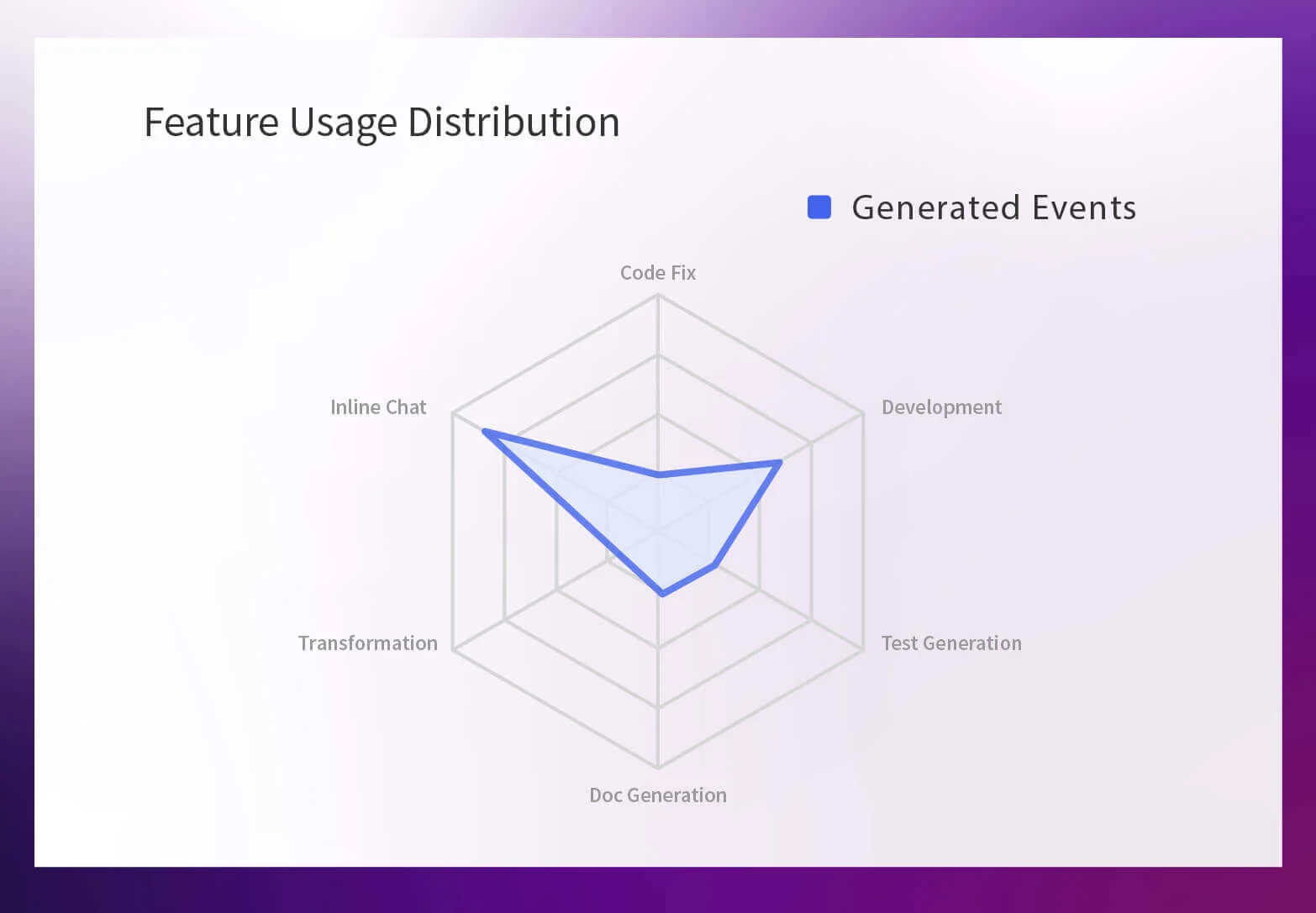
Feature Usage Distribution The radar chart shows which Amazon Q features your org actually leans on: dev, tests, docs, fixes, transforms, chat. A lopsided shape means a few features dominate; a balanced one means teams are taking advantage of the full capability set.
Designed for the people who own AI outcomes, not just tools
Opsera’s Amazon Q Dashboard sits on top of Unified Insights and the Leadership or persona-based views you already use for DORA, DevEx, and AI coding assistants. It’s the same data foundation, sliced for the people who make decisions, not the people wiring up plugins.
A unified "source of truth," but with customizable views tailored for different roles. This allows Engineering leaders, Product Owners, PMs, Scrum Masters, and CTO/CIOs to each access filters and summaries specifically tuned for the decisions they need to make.
Beyond Amazon Q: one place to compare Copilot, Windsurf, Cursor, and more
Most teams don’t bet on a single assistant. You’ve got Amazon Q in AWS, Copilot in GitHub projects, Cursor or Windsurf for AI first editing. Choosing “the best” tool isn’t the problem anymore, it’s comparing how they actually perform in your environment.
Opsera’s Unified AI Coding Insights layer sits above all of them. It applies the same core metrics ie. adoption, acceptance, retention, test generation, and review findings, across Amazon Q, GitHub Copilot, Windsurf, Cursor, and more, so you’re not juggling four different dashboards with four different definitions.
AI is table stakes; proof is the differentiator
Buying licenses for AI coding assistants is the easy part now. Things like licenses, plugins, rollout guides are all straightforward for Amazon Q, Copilot, Windsurf, Cursor. The hard part is answering one simple question: “What did we actually get for this investment?”
That’s where Opsera’s Amazon Q Dashboard matters. Instead of screenshots of suggestions and “active users,” you get a defensible impact story across productivity, quality, and risk. Since the same framework applies to Copilot, Windsurf, Cursor, and more, you’re not starting from scratch every time you add a new assistant.
If you want to see what that looks like with your own data, the next step is simple:
Book a short walkthrough of the Amazon Q Dashboard and Unified Insights and see your Amazon Q, Cursor, Copilot, or Windsurf usage in one view.