
Two Tools, Two Theories of How AI Should Work
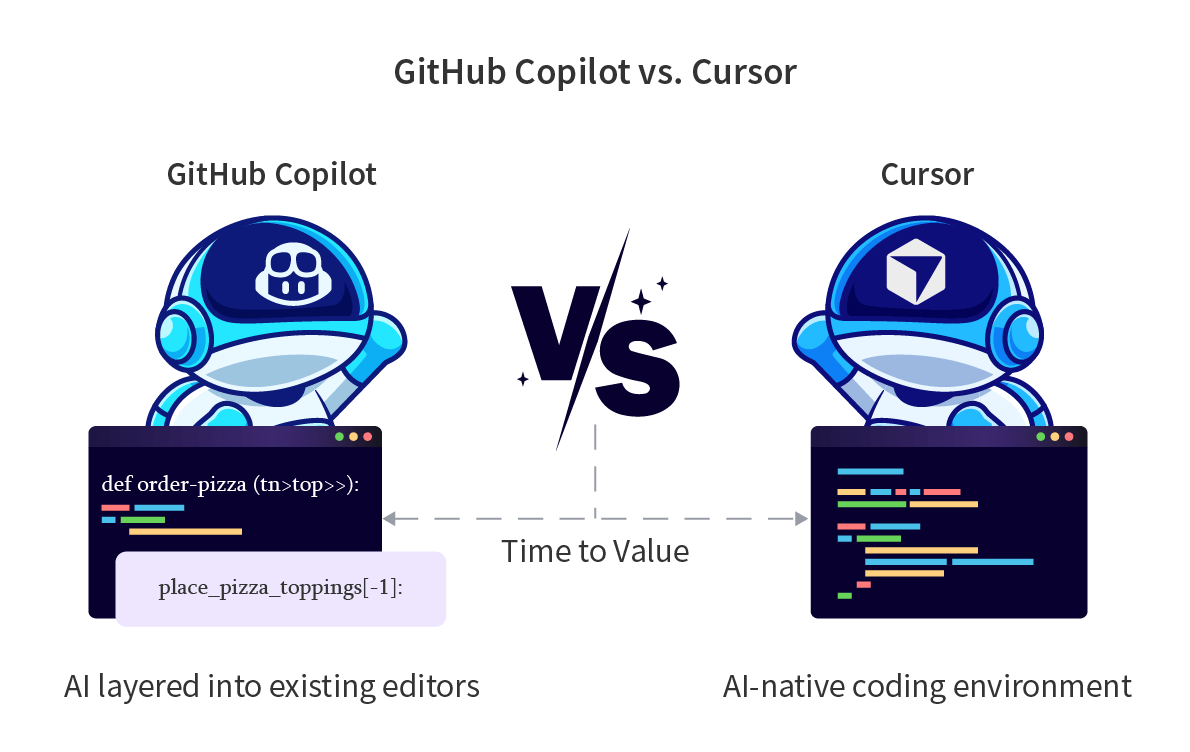
GitHub Copilot and Cursor represent two distinct theories of how AI assistance should fit into a developer’s workflow. Copilot is built around augmenting the editor a developer already uses, layering AI capabilities into existing environments without requiring a context switch. Cursor is built around the opposite premise: that AI-native development requires a purpose-built environment where the entire editor is designed around AI from the ground up.
Both tools have converged in capability over the past year, which makes the comparison feel closer on paper than it is in practice. The gap is not in what they can each do on a given task. It is in how each tool is architecturally designed to scale with the work your team does every day.
A Brief Look: What are GitHub Copilot and Cursor?
GitHub Copilot
GitHub Copilot operates as an extension layered on top of the IDEs developers already use rather than replacing them. That architecture is its most significant adoption advantage and its most meaningful limitation in this comparison.
A developer keeps VS Code, JetBrains, Visual Studio, Neovim, or Xcode exactly as configured, and Copilot adds inline completions, multi-turn chat, agent mode for multi-step autonomous tasks, PR auto-review, and a coding agent that can accept a GitHub Issue and open a pull request with a proposed fix.
Model selection is available on Business and Enterprise plans across GPT-4o, Claude, and Gemini. The whole system integrates natively with GitHub Issues, Actions, and pull request review.
For teams already living in that ecosystem, the addition is low-friction. For teams asking whether a plugin on top of their current editor is enough, that is precisely where this comparison starts.
Cursor
Cursor is a full AI-native IDE, built as a fork of VS Code. Rather than layering AI onto an existing editor, Cursor redesigned the editing experience around AI from the ground up.
Its core architectural differentiator is whole-codebase awareness: Cursor semantically indexes your entire repository so that completions, chat responses, and agent actions are grounded in your actual project across all files, not just the ones currently open.
In October 2025, Cursor launched Cursor 2.0 with its proprietary Composer model, built for multi-agent orchestration and described as completing most agent turns in under 30 seconds. It supports GPT-4.1, Claude Opus 4, Gemini 2.5 Pro, and Composer.
100% of NVIDIA’s engineers are AI-assisted with Cursor as the named tool, and Salesforce reported 90% AI tool adoption across its engineering organization with Cursor as a designated default coding agent.”
Before picking a winner, it helps to understand what each tool was actually built to do.
They share a category name but start from different design philosophies, and those differences surface in specific ways depending on what your team is trying to accomplish.
GitHub Copilot vs Cursor Comparison At a Glance
| Feature | GitHub Copilot | Cursor |
| Interface | IDE extension | Standalone AI-native IDE (VS Code fork) |
| Codebase indexing | Enterprise tier only | All tiers, semantic, whole-repo |
| Inline completions | Yes | Yes, proprietary Tab model |
| Multi-turn chat | Yes | Yes |
| Agent mode | Yes, agent mode and coding agent | Yes, agent, multi-agent, parallel worktrees |
| PR auto-review | Yes, native via Copilot code review | No native PR review |
| Model selection | GPT-4o, Claude, Gemini | GPT-4.1, Claude Opus 4, Gemini 2.5 Pro, Composer |
| Proprietary model | No | Yes, Composer (launched Oct 2025) |
| IDE compatibility | VS Code, JetBrains, Visual Studio, Neovim, Vim, Xcode | VS Code-based only, Cursor is its own IDE |
| IP indemnification | Yes, Business and Enterprise | No formal indemnification policy |
| Security scanning | Via GitHub Advanced Security, separate cost | No built-in security scanning |
| Privacy Mode | No-retention for Business and Enterprise | Yes, available on all plans |
| SOC 2 Type II | Yes | Yes |
| SSO and SCIM | Enterprise tier | Business and Enterprise tiers |
| Codebase customization | Custom models on Enterprise | .cursor rules files, custom agents |
| Free tier | 2,000 completions and 50 premium requests per month | Limited Tab and agent usage |
| Pricing, individual | $10/month Pro | $20/month Pro |
| Pricing, team | $19/user/month Business | $40/user/month Teams |
With that context in place, here is how the two tools stack up on cost, which is where the decision often gets made.
Pricing Models
GitHub Copilot
GitHub Copilot has five tiers:
- Free: 2,000 code completions and 50 premium requests per month. Intended for individual evaluation rather than active development.
- Pro: $10/month with unlimited completions and 300 premium requests.
- Pro+: $39/month with 1,500 premium requests and access to all frontier models including Claude Opus 4 and OpenAI o3.
- Business: $19/user/month. Adds IP indemnification, centralized license management, audit logs, and policy controls.
- Enterprise: $39/user/month. Adds 1,000 premium requests per user, GitHub.com Chat integration, knowledge bases, and custom models trained on your codebase. Requires GitHub Enterprise Cloud.
Extra premium requests on any plan cost $0.04 each.
Cursor
Cursor has four tiers:
- Hobby: Free with limited Tab completions and agent interactions.
- Pro: $20/month. Includes unlimited completions on Auto mode and a $20 monthly credit pool for non-Auto models such as Claude 3.5 Sonnet, GPT-4.1, and Gemini. Credits deplete at rates tied to each model’s underlying API cost, meaning heavier models and longer contexts consume the pool faster.
- Pro+: $60/month with approximately 1,500 fast agent requests.
- Ultra: $200/month with roughly 20x the Pro usage pool.
- Teams: $40/user/month. Adds SSO, centralized billing, admin controls, and shared workspace features.
- Enterprise: Custom pricing.
Annual billing across all plans saves 20%.
A hypothetical 50-person team on Copilot Business pays $950/month. That same team on Cursor Teams pays $2,000/month. The gap is real. But neither plan includes security scanning. Teams that need SAST, secrets detection, or dependency review must add that separately regardless of which tool they choose.
For Copilot, that means GitHub Advanced Security as an additional line item. For Cursor, it means sourcing a standalone scanning tool entirely. The base price difference narrows or widens depending on what your team already has.
What You Are Actually Paying For?
The per-seat numbers above are a starting point, not a final answer. Before committing, these are the questions worth working through:
- What is the fully-loaded cost? Factor in what each option requires to be complete for your team. Security scanning, enterprise access controls, and model access are the most common gaps that appear after the initial license purchase.
- What does your team already have? A team already paying for GitHub Advanced Security and GitHub Enterprise Cloud does the math very differently than one starting from scratch. The incremental cost of Copilot Enterprise drops significantly when that infrastructure already exists.
- How many licenses will actually be used? The Opsera 2026 benchmark found that 21% of enterprise AI tool licenses go unused on average. Paying for 50 seats when 38 developers use the tool regularly changes the ROI calculation for either option.
- How predictable does your billing need to be? Cursor’s credit-based model means a team leaning heavily on Claude Opus 4 or multi-agent mode can exceed the base Pro plan meaningfully without clear real-time visibility into consumption. Copilot’s overage billing at $0.04 per premium request has a similar dynamic but applies only above plan thresholds.
- What does rework cost you? Both tools generate code that requires review and occasionally remediation. Teams that account for the downstream cost of review delays and security fixes will have a more accurate picture of true cost than those looking only at license spend.
Strengths and Weaknesses
GitHub Copilot
Where It Shines
- Workflow continuity at the team level: The strongest argument for Copilot in this comparison is not any individual feature. It is that a 50-person team can adopt it without a single developer changing their editor, their shortcuts, their extensions, or their mental model of how they work. When the primary organizational risk is adoption friction and change fatigue, a tool that plugs in rather than displaces carries genuine strategic value that does not show up in a feature matrix.
- PR auto-review as a direct response to the review bottleneck: This is the capability that most directly addresses what Opsera’s 2026 benchmark data surfaces as the dominant productivity loss in AI-assisted development: AI-generated PRs wait 4.6 times longer for review than human-written ones. Copilot can automatically review pull requests and suggest fixes inline. Cursor has no equivalent. For teams where review throughput is the constraint, this is a meaningful functional difference.
- IP indemnification with a contractual backstop: Business and Enterprise customers are covered by GitHub and Microsoft’s formal indemnification for copyright claims on unmodified suggestions when the duplicate detection filter is enabled. Cursor offers no equivalent commitment. For legal teams and regulated industries, this is not a checkbox, it is a genuine risk management difference.
- Model selection as a deliberate per-task decision: On Business and Enterprise plans, developers can choose between GPT-4o, Claude, and Gemini based on the work at hand, routing architecture reasoning to one model and rapid code generation to another without switching tools or burning through a shared credit pool. The billing is transparent: premium requests against a plan allowance with clear overage pricing, rather than a credit pool that depletes at rates tied to underlying model APIs.
- Xcode support: For teams that include iOS or macOS developers, this is a firm differentiator. Cursor does not support Xcode. If any part of your engineering organization ships to Apple platforms, Copilot is the only tool in this comparison that covers them.
Where It Falls Short
- Security scanning is a separate purchase: SAST, secrets detection, and dependency review require GitHub Advanced Security, which is priced and procured independently. Teams that assumed AI tooling would address security exposure from AI-generated code will find this gap material.
- Whole-codebase context is gated to Enterprise: Semantic indexing across the full repository is only available on the highest tier. Teams on Business or below get shallower context, which limits suggestion quality on large or highly modular codebases in a way that Cursor does not have to manage.
- Agentic capability is meaningfully weaker on complex tasks: Agent mode exists and the coding agent produces real value for GitHub-native workflows. But Cursor’s Composer model, multi-agent mode with parallel worktrees, and sub-30-second turn completion represent a different capability tier for teams doing complex, multi-file, codebase-wide refactors.
- The cost ceiling is higher than it looks at first: Teams that start with Copilot Business at $19/user and later find they need Enterprise features, codebase indexing, and GitHub Advanced Security can find themselves looking at a per-seat cost that exceeds Cursor Teams even though Copilot appeared cheaper at the outset. The budget conversation tends to happen after the commitment, not before it.
Cursor
Where It Shines
- Whole-codebase context available on every plan: Cursor’s semantic indexing is not gated to a higher tier. Every completion, chat response, and agent action is grounded in your actual repository from the Hobby plan up. For teams working on large codebases where shallow context produces shallow suggestions, this is the structural difference that drives the productivity comparison.
- Agent and multi-agent performance on complex tasks: The Composer model, launched in October 2025, completes most agent turns in under 30 seconds according to Cursor. Multi-agent mode can spin up parallel agents in separate git worktrees simultaneously, which compresses time on large refactors in a way that sequential agent execution cannot match. For teams doing codebase-wide changes, this is where Cursor’s architecture compounds.
- Zero migration friction for VS Code users: Because Cursor is built on VS Code, all existing extensions, themes, keybindings, and settings transfer automatically. A developer can import their VS Code configuration in minutes and be fully functional immediately. The IDE change is real, but the onboarding cost for VS Code users is close to zero.
- Model flexibility without a ceiling: Cursor supports GPT-4.1, Claude Opus 4, Gemini 2.5 Pro, and its own Composer model. Developers can plan with one model and build with another, switching mid-task based on what the work requires. The tradeoff is that heavier model usage draws down the monthly credit pool faster, which introduces billing unpredictability at scale.
- Enterprise precedent that is no longer speculative: Salesforce, NVIDIA, PwC, Stripe, and Uber have all made Cursor production tooling. These are not early adopters running experiments. They are engineering organizations that evaluated the tool against compliance, security, and productivity requirements and committed.
Where It Falls Short
- No IP indemnification: Cursor states that generated code belongs to the user, but there is no formal contractual coverage for copyright claims. For legal teams and compliance-sensitive industries, the absence of a Copilot-equivalent indemnification policy is a documented gap, not a theoretical one.
- No built-in security scanning: There is no SAST, secrets detection, or IaC analysis built into Cursor at any tier. Teams adopting Cursor at scale need to close this gap with a separate tool and budget for it explicitly.
- Credit-based billing introduces unpredictability: Cursor’s June 2025 shift from request-based to credit-based billing created significant user frustration. The $20 Pro plan includes $20 in model credits, but Claude Opus 4 and similar frontier models deplete that pool roughly 2.4 times faster than lighter options. Heavy users or teams running intensive multi-agent workflows can exceed base plan costs in ways that are difficult to anticipate at the individual developer level.
- No PR auto-review: Cursor has no native pull request review capability. The review bottleneck that Opsera’s benchmark data identifies as the dominant source of lost productivity in AI-assisted workflows is unaddressed, leaving that gap to be filled by manual process or a separate tool.
- Cloud-only architecture: All AI requests route through Cursor’s AWS infrastructure even when Privacy Mode is enabled. There is no on-premise or VPC deployment option. For regulated industries with data residency requirements or strict network isolation policies, this is a hard stop.
The data is the same because it comes from the same report, so the stats themselves stay. What changes is the angle: this blog is about a productivity-first tool versus an ecosystem tool, so the data section should speak to that tension specifically.
Which Teams Choose GitHub Copilot vs Cursor?
The feature comparison tells you what each tool can do. The following patterns reflect why engineering organizations actually choose one over the other when they have evaluated both.
Teams that tend to land on GitHub Copilot typically share these characteristics:
- They are already GitHub-native and want the least migration friction. Adopting Copilot means no new editor, no settings import, no workflow disruption. For large teams with established tooling standards, the path of least resistance has real organizational value.
- They need IP indemnification. A legal or compliance team that requires contractual coverage for AI-generated code has a straightforward answer in Copilot Business and Enterprise. Cursor offers no equivalent.
- They include iOS or macOS developers. Xcode support makes Copilot the only option in this comparison for teams that ship to Apple platforms.
- They want to run a controlled evaluation before committing to a platform change. Copilot has a lower switching cost in both directions. If a team tries it and decides it is not delivering enough, rolling back means uninstalling an extension. Rolling back from Cursor means moving engineers off a full IDE, which is a meaningfully different organizational decision.
- They want Microsoft as the enterprise counterparty. Established SLAs, compliance documentation, support tiers, and an existing Microsoft Enterprise Agreement make Copilot the lower-friction enterprise procurement decision for organizations already in the Microsoft ecosystem.
Teams that tend to land on Cursor typically share a different set of priorities:
- They want an AI-native editor, not an AI plugin. The decision to switch IDEs is deliberate. These teams concluded that whole-codebase context and agentic performance at scale required a tool designed for it from the start rather than one retrofitted onto an existing editor.
- They are doing complex, multi-file agentic work. Teams running large refactors, working on distributed codebases, or using multi-agent workflows find Cursor’s Composer model and parallel worktree support materially faster than anything Copilot’s agent mode delivers today.
- They are primarily VS Code users. The migration cost is near zero. For a VS Code team, switching to Cursor means importing settings, not rebuilding a development environment.
- They can manage usage-based billing. Teams with good visibility into per-developer consumption and the budget flexibility to handle variation in monthly spend are better positioned to absorb Cursor’s credit model without friction.
- They are building in an environment where delivery speed outweighs tooling overhead. For these teams, adding a dedicated security scanner and a PR review process on top of Cursor is a worthwhile tradeoff for the productivity difference Cursor’s agentic capability delivers at scale.
What the Data Says
Cursor’s core pitch is engineering velocity. That makes the Opsera 2026 AI Coding Impact Benchmark Report worth reading carefully before committing to it, because the data complicates the velocity story in ways that matter for how you structure adoption.
The report, gathered from more than 250,000 developers across 60+ enterprise organizations, found that:
- AI-generated pull requests wait 4.6 times longer for review than human-written ones.
- AI-assisted code contains 15-18% more security vulnerabilities than manually written code.
- Agentic tools show the highest code acceptance rates of any tool type at 38-48%, while also carrying the largest blast radius in terms of scope of change.
Cursor is, by design, an agentic tool. Its Composer model, multi-agent mode, and whole-codebase context are built to move large amounts of code quickly. That is exactly the capability profile the third finding describes: highest acceptance rates, largest blast radius. The speed Cursor delivers is real. So is the review and security surface area that comes with it.
This is where the absence of built-in PR review and security scanning in Cursor becomes a structural issue rather than a feature gap. Copilot’s PR auto-review exists specifically to absorb some of the review load that agentic output creates.
Cursor produces more agentic output than Copilot does today and ships no equivalent mechanism to manage the downstream pressure on review queues. Teams that adopt Cursor without deliberately building that review capacity are likely to see the 4.6x wait time figure in their own data within a quarter.
The benchmark also found that only 33% of developers trust the accuracy of AI-generated output, and 66% cite suggestions that are almost right but not quite as their biggest frustration. For a tool as capable as Cursor, that gap between raw output and shippable code is not a reason to avoid it. It is a reason to invest in the governance layer around it before you scale it, not after.
The Bottom Line
Both tools have earned their place. The right choice here is genuinely team-dependent, and the honest answer is that both tools have significant production adoption behind them for good reason.
If your team is GitHub-native, ships to Apple platforms, operates in a regulated industry, or needs contractual coverage for AI-generated code, Copilot fits that profile more cleanly today. The workflow integration, IP indemnification, and PR review capability are already in place, and the compliance documentation exists to satisfy legal and security stakeholders without additional legwork.
If your team prioritizes engineering velocity, works on complex multi-file projects, is already on VS Code, and is prepared to build security and review infrastructure separately, Cursor delivers a meaningfully different editing experience that large engineering organizations have already validated in production. NVIDIA, Salesforce, and Stripe did not arrive at Cursor by accident.
Where both tools land in the same place is in what surrounds them. The Opsera 2026 benchmark data makes clear that AI-assisted code moves faster and carries more risk simultaneously, regardless of which assistant generated it.
Acceptance rates, rework frequency, review throughput, and security coverage are the metrics that determine whether either tool compounds value over time. Teams that track those numbers tend to get more out of whichever tool they choose. Teams that do not tend to find out why they should have, later than they would have liked.